

.svg)
How Multi-Camera Production Enhances Live Events, Studios, and Lecture Spaces
September 8, 2026
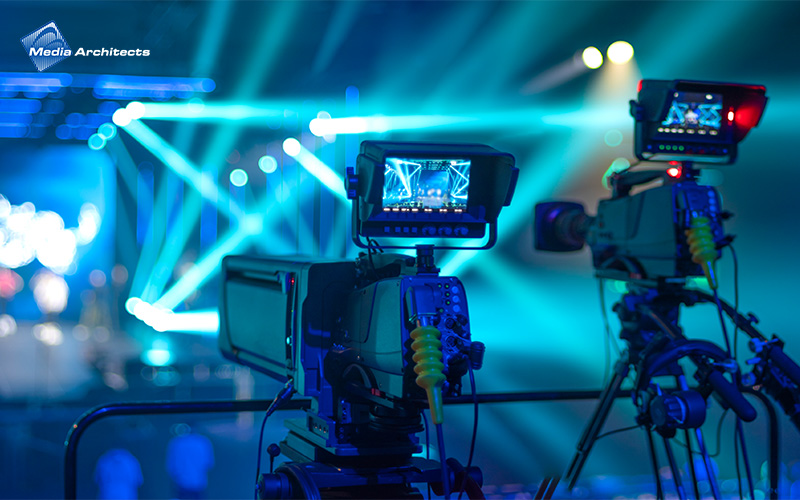
Multi-camera production uses multiple synchronised camera feeds, managed through a switching system, to create a more dynamic and complete viewing experience. Instead of relying on a single camera angle, multiple camera feeds allow different perspectives to be introduced in real time during live switching or refined later during editing.
This approach has moved beyond being just a technical upgrade. In many environments, it now supports how content is delivered and experienced. A single fixed angle rarely reflects the pace of a live session. For remote viewers, key moments can feel distant, while in-room audiences may find their attention drifting over time.
With multiple viewpoints, the experience becomes more immersive and intentional. Whether in auditoriums, training spaces, houses of worship, corporate studios, or hybrid classrooms, multi-camera setups help presenters and performers connect with audiences more directly.
Behind the scenes, there’s a system and workflow. Camera feeds are routed into a switcher, processed alongside audio, Multiple camera angles allow productions to shape how audiences experience a live session. Different perspectives can be introduced to highlight speakers, reactions, demonstrations, or room atmosphere at the right moments. Rather than showing the same uninterrupted view throughout, the production feels more dynamic and easier for audiences to follow over longer periods.
A well-executed multi-camera production does not overwhelm the viewer with constant movement; instead, it introduces variation at key moments. For example, a wide shot establishes context, a close-up focuses attention on the speaker, and a cutaway adds texture to the scene.
This rhythm gives productions a more polished, broadcast-like feel. In corporate town halls, it helps maintain engagement across longer sessions. In conferences, it separates speakers and panels clearly. In worship services or ceremonies, it preserves both atmosphere and presence, allowing remote viewers to feel included rather than simply observing.
In practice, the number and positioning of cameras are as important as the switching itself. Smaller spaces often work well with two or three angles, whereas larger venues benefit from dedicated coverage of the stage, audience, and content. Research into optimising camera placement highlights how coverage gaps and overlap directly affect what can be captured and switched effectively, reinforcing the importance of thoughtful positioning. Poor placement can limit switching flexibility, making even a multi-camera setup feel static.
The move towards distributed audiences has reshaped how events are designed. Physical and remote participation now happen together, and the challenge lies in keeping the experience aligned rather than fragmented.
A well-designed hybrid event AV system manages the switching and delivery of video, audio, and presentation sources across diverse endpoints. Camera feeds are routed through a central switcher, audio is processed for clarity, and the final programme is encoded for both in-room and remote viewing. This helps remote audiences experience the event with a level of clarity and engagement that feels much closer to being there in person.
Workflows such as the remote integration model (REMI) production, where production is handled remotely, extend this further. Cameras and audio remain on-site, while switching and control take place centrally, allowing teams to manage multiple locations without duplicating resources.
However, this setup depends on stable network performance. Bandwidth, latency, and signal synchronisation all affect the smoothness of transitions. Problems often surface during live execution rather than setup, particularly when multiple feeds are active simultaneously.
When paired with live event video streaming services, distribution becomes more streamlined. Content moves through a single workflow from capture to delivery, reducing handoffs and helping to maintain consistency across all viewing environments.
In learning environments, visual clarity directly influences comprehension.
A single, rear-facing camera often struggles to capture the full picture. Whiteboard content may not be legible, demonstrations lose detail, and interaction between the instructor and students can feel distant or fragmented.
A well-structured lecture capture workflow assigns specific roles to each camera. One focuses on the lecturer, another captures presentation content, while a third may follow demonstrations or audience interaction. This preserves context rather than simply recording information.
For institutions, this becomes particularly valuable when content is revisited. Students reviewing sessions can follow both explanation and demonstration without needing to interpret missing details.
However, capturing multiple angles introduces its own considerations. Without proper audio alignment or switching logic, recordings can feel disjointed. This is where system integration, rather than individual components, determines how effective the setup really is.
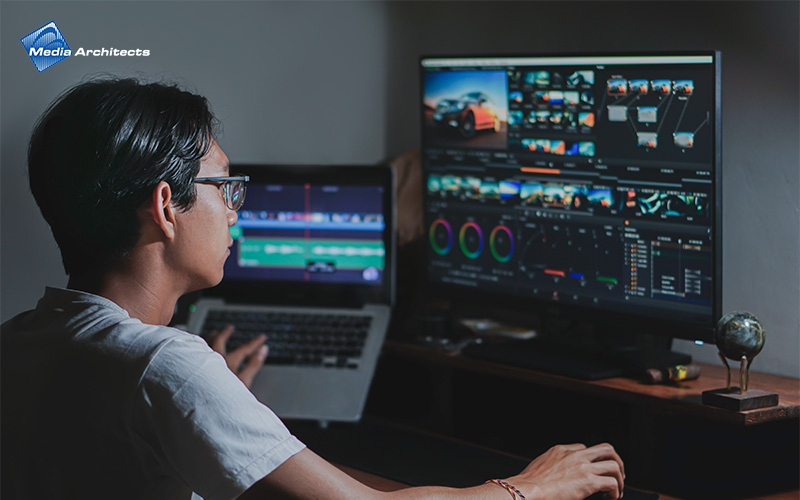
Adding more cameras does not necessarily increase complexity. In a well-designed system, it often reduces operational friction.
A modern PTZ camera setup allows operators to manage multiple angles from a central interface. Presets can be recalled instantly, tracking can be automated, and framing can be adjusted without manual repositioning.
When switching, audio processing, and camera control are unified within the same environment, the workflow becomes more predictable. Operators spend less time troubleshooting and more time focusing on timing and transitions.
In many real-world setups, the challenge is not the number of cameras, but how different systems interact. Separate control layers, mismatched protocols, or inconsistent signal paths can introduce delays or errors. A properly integrated environment removes these friction points and allows production to run smoothly, even with fewer operators.
Not every organisation starts with a large-scale production setup. What matters is having a system that can grow without needing to be rebuilt.
Multi-camera systems support this naturally. A smaller setup might begin with two cameras and basic switching. As needs evolve, additional cameras, automation features, and network-based distribution can be introduced in stages.
This flexibility allows organisations to move from internal recordings to more structured live event video production, and eventually into hybrid or multi-site formats.
The key is planning for expansion early. Without this, scaling often leads to patchwork solutions that are harder to manage over time.
<image>
At its core, multi-camera production is not simply about adding more equipment, but about designing a system where each component aligns with the space’s intended use.
When camera placement, switching logic, audio processing, and distribution are considered holistically, the result is a seamless experience. Transitions appear natural, and content flows without interruption, allowing the technology to fade into the background.
Without this level of coordination, even well-equipped setups can feel disjointed. Delays between audio and video, limited switching options, or unstable connections can quickly detract from the overall experience.
This is where system design makes the difference. Media Architects approaches multi-camera environments as integrated workflows rather than standalone components. From camera positioning and control logic to signal routing and distribution, each element is designed to support real-world usage.
If you are planning a new setup or refining an existing one, the starting point is not the equipment, but how your space operates. Speak with Media Architects to design and integrate a multi-camera production system that supports your content, your audience, and how your environment runs day to day.
Related Pages
Other articles
May 11, 2026
Key Takeaways: AV integration creates a unified system where audio, video, and control work together, rather than as separate setups across different rooms. A software-based, networked architecture allows for a...

November 6, 2024
Learning has evolved with time and classrooms have moved beyond traditional teaching methods. These days, almost every school is integrating edtech solutions to improve learning and make the entire education...

.svg)